


+15 More

Digital Aura Portal - FZCO
Building A1, Dubai Digital Park, Dubai Silicon Oasis, Dubai, United Arab Emirates Premises Number 72647 - 001
Business registration number: 70647


gamer-choice.com © 2026
Digital Aura Portal - FZCO
Building A1, Dubai Digital Park, Dubai Silicon Oasis, Dubai, United Arab Emirates Premises Number 72647 - 001
Business registration number: 70647
 August 26, 20255 min ReadElsa
Ok, let’s begin with the basics and move toward the important details. The Griddy celebration is a viral dance that found its way into EA Sports FC 25. This iconic move can be performed by several footballers in the game, bringing extra flair to Ultimate Team and Career Mode. So let’s break down how to do the Griddy in FC 25.
Primal steps are simple. All you need to do is hold RB or R2 (depending on your console) and flick your right stick up twice. But… if you’re a PC player, it’s slightly different. You’ll have to hold your D key and then press right + left on your keyboard to trigger the Griddy.
With the basics covered, we can shift from formalities about the EA Sports Griddy dance move and dive into the more serious questions. Why is this particular celebration tied to your right trigger in Ultimate Team? Why has it become one of the most talked-about moves in the community?
But before you master the Griddy celebration, it’s worth mentioning — learning the fundamentals such as shooting in EA FC 25 comes first!

Buy FC 25 Coins
Stock up on FC 25 Coins and dominate Ultimate Team!

The Griddy is a flashy victory dance that has quickly gained fame in EA Sports FC 25. After you score, you can trigger this celebration by flicking your right stick while holding the right trigger on your controller. It has become a go-to move in both online matches and career mode, where players love showing it off after goals. No matter if you’re playing FUT or just running a casual match, pulling off the Griddy adds style and personality to your game. It’s one of those little touches that makes scoring even more satisfying.
| Feature | Description |
|---|---|
| Celebration Type | Dance |
| Button Combination | Hold R2 (PS) / RT (Xbox) + Flick right stick up twice |
| When to Use | After scoring a goal |
| Dance Style | Hopping forward with arm swings |
| Popularity | Famous among players and fans |
The Griddy has established itself as a trendy celebration, not just in video games but also across real sports. The dance involves hopping movements, arm swings, and a playful gesture of creating “glasses” with your hands. It has been showcased by famous athletes like Justin Jefferson and Christian Pulisic in TikTok videos, fueling its viral spread. Originally created by Allen Davis (nicknamed “Griddy”), the move is now a fan-favorite both on the field and in EA FC 25. To perform it in-game, all it takes is a simple controller combo, letting you celebrate goals in style.
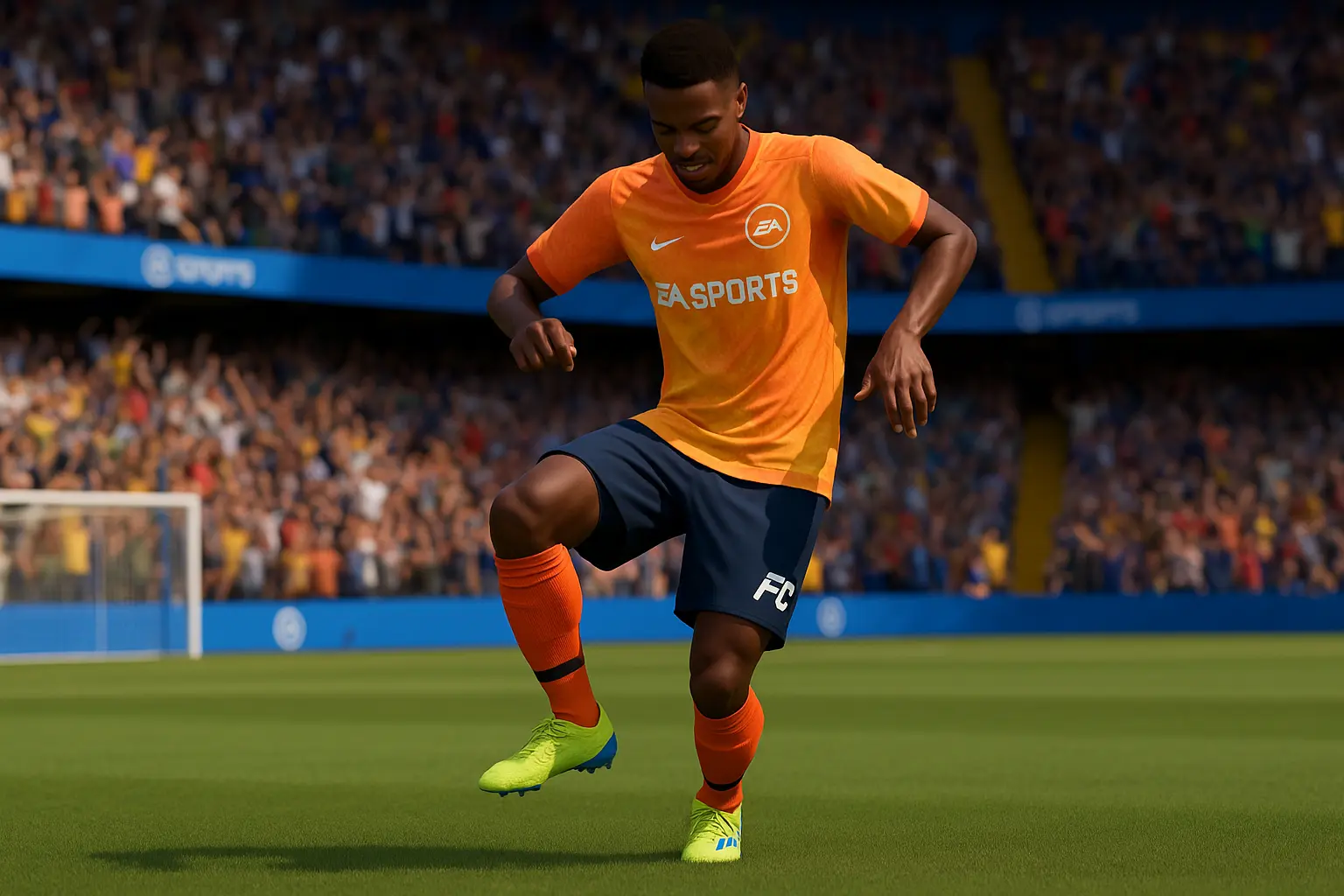
To execute the Griddy celebration in EA FC 25 (formerly FIFA 25), you’ll need the right button input depending on your platform. PlayStation, Xbox, Nintendo Switch, PC, and Steam Deck all support this celebration with a slightly different input, but the principle remains the same — score a goal, trigger the right combination, and enjoy the stylish move. The Griddy has now become one of the easiest and most enjoyable ways to celebrate your success in the game.
| Platform | Buttons for Griddy Dance |
|---|---|
| PlayStation | R2 (Hold) + Right Stick (up twice) + Right Stick (down twice) |
| Xbox | RT (Hold) + Right Stick (up twice) + Right Stick (down twice) |
| Nintendo Switch | ZR (Hold) + Right Stick (up twice) + Right Stick (down twice) |
| PC | Shift (Hold) + Arrow Keys (up twice) + Arrow Keys (down twice) |
| Steam Deck | R2 (Hold) + Right Stick (up twice) + Right Stick (down twice) |
The Griddy made its way into EA FC 25 directly from American football, where it gained its viral reputation. The reason is simple — it’s a fun, recognizable, and fan-loved move. The game allows you to replicate this by tapping and flicking the right stick (RS) after scoring. That’s all it takes to bring the dance into your celebrations.
And that’s it. Nothing more complicated than that. Now you know how to perform the Griddy, and you’re ready to bring it into your FUT matches or your career mode championship runs. Gamer Choice makes sure you’re covered with all the details you need about trending moves like this one.

Buy FC 25 Accounts
Get FC 25 accounts with coins, packs, and top players!
On Xbox, all you need to do is hold the RB button (same as R2 on PlayStation) and flick the right stick (RS) upward twice. That’s it — enjoy showing off your Griddy celebration in EA FC 25!
For PS5 players, press and hold R2, then flick the right stick (RS) up two times. Once you score, this simple input lets you trigger the Griddy dance and celebrate in style.
On PS4, the process is the same as PS5. Hold down R2 and flick the right stick (RS) upward twice. Your player will immediately start performing the Griddy celebration.
Switch players can join the fun too! Just hold the trigger button equivalent to R2 and flick the right stick (RS) up twice. That’s how you pull off the Griddy celebration on Nintendo Switch.
On Steam Deck, find the trigger that matches R2 functionality, hold it, and flick the right stick (RS) upward twice. This quick combo will unleash the viral Griddy dance in EA FC 25.