


+15 More

Digital Aura Portal - FZCO
Building A1, Dubai Digital Park, Dubai Silicon Oasis, Dubai, United Arab Emirates Premises Number 72647 - 001
Business registration number: 70647


gamer-choice.com © 2026
Digital Aura Portal - FZCO
Building A1, Dubai Digital Park, Dubai Silicon Oasis, Dubai, United Arab Emirates Premises Number 72647 - 001
Business registration number: 70647
 May 12, 202515 min ReadElsa
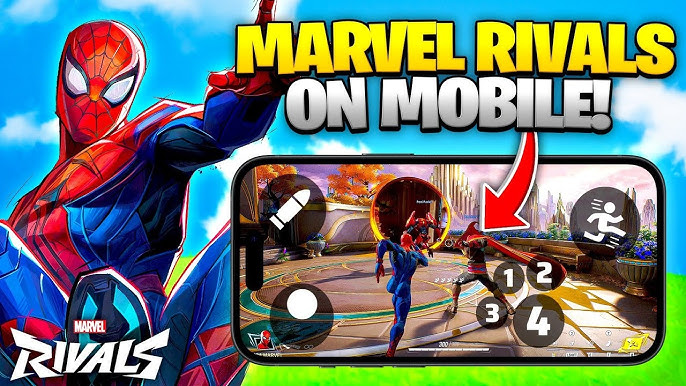
In this guide, we’ll show you how to play Marvel Rivals on mobile devices using several popular cloud gaming platforms. Since Marvel Rivals isn’t officially released for mobile, these cloud services offer the most reliable way to enjoy the game on the go. Whether you’re streaming via GeForce NOW, Steam Link, or JoyArk, this guide has everything you need to get started. We’ll cover setup instructions, system requirements, and performance tips for each service.
And if you’re looking to get ahead in the game, consider using Marvel Rivals Rank Boost from Gamer Choice. Playing Marvel Rivals through cloud streaming on mobile is convenient, but adapting to mobile controls and keeping up with veteran players can be a challenge. A professional boosting service can help you level up faster, earn exclusive rewards, and compete more effectively—without the grind.

Buy Marvel Rivals Boost
Order Marvel Rivals boosts and rank up fast!


Although there’s no official mobile version of Marvel Rivals just yet, you can already play it on your phone using one of the most well-known cloud platforms available today.
GeForce NOW offers a smooth Marvel Rivals gaming experience on mobile, delivering high-resolution gameplay, fast frame rates, and low-latency streaming. It’s one of the top methods for playing the game at ultra settings without needing high-end hardware. Your experience, however, will vary based on the subscription tier you choose.
Pros:
Cons:
This setup lets you enjoy Marvel Rivals Android gameplay at a competitive level, giving you an edge similar to players on full PCs or consoles.
You don’t need a high-spec PC to run Marvel Rivals through GeForce NOW, but you will need a compatible device and a reliable internet connection.
Minimum Requirements:
| A compatible device | PC, Mac, Android, iOS, Chromebook, NVIDIA Shield, or Smart TV with GeForce NOW support. |
| A GeForce NOW account | Free, Performance, or Ultimate membership. |
| Stable internet connection | 30 Mbps minimum for Free and Performance tiers. 50 Mbps or higher for Ultimate tier to get the best experience. |
| A game library that includes Marvel Rivals | You must own the game on Steam to stream it through GeForce NOW. |
GeForce NOW is accessible globally, although availability can vary by region. Free and Performance users may face queue delays, whereas Ultimate subscribers are given priority access.
Getting Marvel Rivals running on GeForce NOW is relatively simple. With a few steps and the right settings, you can get started quickly. Here’s how:
If you were trying to find a Marvel Rivals iOS download and came up empty-handed, downloading the GeForce NOW app is your best alternative for mobile play.
The quality of your Marvel Rivals gameplay on GeForce NOW depends heavily on your chosen membership level.
| Free Tier | Performance Tier ($10/month) | Ultimate Tier ($20/month) |
|---|---|---|
| Uses an RTX 3050 server configuration. | Uses a higher-end GPU setup with up to 1440p resolution. | Provides 4K at 120 FPS and 1080p at 240 FPS. |
| Queue times can exceed 2 hours during peak hours. | Less waiting time compared to Free Tier. | Zero queue times and RTX 4080-level performance. |
| Input lag, stuttering, and FPS drops make gameplay inconsistent. | Generally smooth gameplay, but capped at 60 FPS. | Best option for those playing on mobile with an external controller. |
| Limited to 1080p at 60 FPS. |
For those playing on smartphones, the Performance tier strikes a solid balance between price and playability. However, the Ultimate tier is best if you’re aiming for top-tier visuals and performance on larger displays.
While playing Marvel Rivals on GeForce NOW can be a solid alternative to standard PC gaming, optimizing a few settings can dramatically enhance your mobile experience.
By following these tips, you can make the most of your GeForce NOW session and enjoy Marvel Rivals on your mobile device with minimal compromises. While the Ultimate plan provides the best overall experience, you can still achieve great results with lower-tier plans—provided your internet connection is up to the task.
Steam Link offers a simple and cost-free method to enjoy Marvel Rivals on your mobile device by streaming it directly from your gaming PC. It’s ideal for casual gaming around the house—whether you're relaxing on the couch or lying in bed—and can also be used remotely if you have a strong internet connection. Since it relies on Remote Play, your gameplay experience will depend on both your network speed and the capabilities of your PC.
Here’s a quick look at the advantages and disadvantages:
Pros:
Cons:
While Steam Link doesn’t replace a native mobile version, it’s an excellent choice for players who value mobility and flexibility. With the correct configuration, Marvel Rivals can be played from nearly anywhere—no extra hardware necessary.
Before diving in, ensure you meet the essential requirements for using Steam Link. Though free to use, it still requires a capable PC and stable internet connection.
Minimum Requirements:
| A gaming PC that meets the system requirements to run Marvel Rivals. |
| A smartphone or tablet (Android or iOS) with the Steam Link app installed. |
| A strong internet connection: At least 15 Mbps for a stable experience. 5 GHz Wi-Fi is recommended for lower latency. |
| Steam installed on your PC with Remote Play enabled. |
| A Bluetooth controller (optional, recommended) for smoother gameplay. |
Unlike services like GeForce NOW or JoyArk, Steam Link doesn't operate through cloud infrastructure. Instead, performance depends entirely on your PC and local network. With proper setup, it's one of the most convenient ways to play Marvel Rivals on mobile without extra fees.
Setting up Steam Link is a quick process, but carefully following the steps ensures fewer hiccups and better gameplay:
After everything is set up, you'll be able to access Marvel Rivals on your mobile device easily. Just keep in mind that your network quality will significantly influence how smooth your sessions feel.
Steam Link generally delivers a smooth gaming experience, provided your internet is reliable. A strong connection leads to better frame rates and fewer disruptions, while a poor network can result in stuttering or high latency.
For the best experience:
| Local Wi-Fi (Same Network) | Remote Play (Mobile Data or Different Wi-Fi Network) |
|---|---|
| The ideal setup with minimal input lag. | Allows gaming on the go, but requires fast mobile data (4G/5G) or a high-speed Wi-Fi network. |
| Works well for casual and semi-competitive gameplay. | May introduce noticeable input lag, making fast reflex actions harder to pull off. |
For casual play and unranked modes, Steam Link holds up well. But when milliseconds matter—like in competitive ranked games—any delay can become noticeable. Managing your expectations and optimizing your network will help achieve the best results.
Want to get the most from Marvel Rivals via Steam Link? Try these tips:
By applying these optimizations, you’ll get a more consistent experience and minimize interruptions. While not flawless, Steam Link is a capable solution for playing Marvel Rivals from almost anywhere with minimal investment.
JoyArk is a mobile-first cloud gaming platform designed to let users play PC titles like Marvel Rivals without owning a powerful rig. It runs the game on cloud servers and streams it directly to your phone or tablet—no gaming PC required.
Pros:
Cons:
JoyArk might not have the recognition of bigger platforms, but it serves as a workaround for games that block virtual machines. This makes it one of the few available methods to play Marvel Rivals on mobile. Still, your experience will depend on server proximity and network quality.
To start playing Marvel Rivals on JoyArk, you’ll need to create an account and own the game on a supported platform like Steam. No gaming PC is necessary—but a stable internet connection is essential.
Requirements:
| A mobile device (iOS or Android). |
| A JoyArk account (requires email verification). |
| A subscription or pay-per-hour credits to access the service. |
| A game license (Steam or another third-party store). |
| 15 Mbps minimum internet speed (30+ Mbps recommended). |
| A Bluetooth controller (recommended for a better experience). |
Since JoyArk doesn’t support desktop browsing, access is limited to their mobile app or website via mobile browsers.
JoyArk offers monthly membership tiers and a pay-as-you-go model, providing flexibility for different playstyles. Do note that subscriptions require a credit card, while hourly credits can be purchased using PayPal.
Getting started with JoyArk is simple, but you must own a valid game license. Here’s how to begin:
Once set up, you’re ready to play Marvel Rivals from your mobile device, no PC needed.
Among the various ways to play Marvel Rivals on mobile, JoyArk is an option that doesn’t require a PC. The platform operates on RTX 3060-based servers, which are capable of running games at 1080p—although JoyArk’s streaming quality is limited to 1600x900 resolution.
Even when the game runs smoothly in the cloud, you might still feel like it’s capped at 30 FPS due to streaming compression. Another issue is server distance; if you're connected to a server in another region, input delay can be a major downside. In such cases, tanky or melee-focused heroes like Hulk or Punisher are more forgiving than long-range characters.
To improve your Marvel Rivals sessions on JoyArk, try these optimization tips:
With a few tweaks, JoyArk can deliver a solid experience—especially for casual gameplay sessions.
If you don’t have access to a gaming PC, JoyArk is one of the rare cloud solutions available for mobile Marvel Rivals gameplay. It’s convenient, mobile-first, and doesn’t require hardware investments.
However, it comes with caveats—such as limited stream quality, occasional latency spikes, and potential issues with account access. While it can serve as a decent stopgap, those seeking a high-end experience should consider services like GeForce NOW instead.
That said, if you’re located near one of JoyArk’s servers and can tolerate minor delays, it’s a viable option for mobile gaming.
No, Marvel Rivals is not officially available on mobile platforms. However, you can still enjoy it on your phone using cloud gaming services that stream the game to your device.
While there's no native mobile version, you can play Marvel Rivals on your phone through cloud gaming platforms such as GeForce NOW, Steam Link, and JoyArk. These services let you stream the game from a PC or cloud server directly to your mobile device.
To play Marvel Rivals on your phone, choose a cloud streaming method:
Each method requires a stable internet connection and a compatible device.
There are currently no confirmed plans for an Android or iOS version of Marvel Rivals. The game is designed for PC, but cloud gaming platforms enable you to play it on mobile despite the lack of official support.
Your ideal option depends on what you’re looking for:
For all options, a fast and stable internet connection (preferably on 5GHz Wi-Fi) is essential.
Yes, Marvel Rivals supports controller input when played through cloud gaming apps. You can use Bluetooth controllers like Xbox or PlayStation models, or dedicated mobile controllers like Backbone for iOS or Razer Kishi for Android for improved control.

Buy Marvel Rivals Account
Get Marvel Rivals accounts with maxed heroes today!
Although an official Marvel Rivals mobile release hasn’t been confirmed, cloud gaming already makes it possible to enjoy the game on your smartphone or tablet. Whether you choose GeForce NOW, Steam Link, or JoyArk, each platform provides a unique set of benefits and limitations.
GeForce NOW delivers the highest quality experience but comes at a cost. Steam Link is a fantastic free alternative if you already own a gaming PC. JoyArk provides mobile access without requiring a PC, but with some trade-offs in performance and usability.
Ultimately, the ideal solution depends on your equipment, budget, and priorities. For top-tier quality, GeForce NOW is the best bet. For those looking for a budget-friendly option, Steam Link fits the bill. And for players without a gaming PC, JoyArk offers an accessible alternative—albeit with a few compromises.
No matter which method you pick, optimizing your setup will go a long way toward ensuring smooth and enjoyable gameplay. With these tools at your disposal, you can take Marvel Rivals anywhere, whether you're lounging at home or gaming on the go.