


+15 More

Digital Aura Portal - FZCO
Building A1, Dubai Digital Park, Dubai Silicon Oasis, Dubai, United Arab Emirates Premises Number 72647 - 001
Business registration number: 70647


gamer-choice.com © 2026
Digital Aura Portal - FZCO
Building A1, Dubai Digital Park, Dubai Silicon Oasis, Dubai, United Arab Emirates Premises Number 72647 - 001
Business registration number: 70647
 June 21, 20253 min ReadRapunzel
In Path of Exile 2, unlocking and customizing your poe hideout is a major milestone for players entering the endgame. A Hideout acts as your personal base, providing access to essential features like crafting benches, important NPCs, and mapping tools. It’s a practical and aesthetic upgrade that makes gameplay more convenient and efficient. If you haven’t yet gained access to your poe hideout, this guide will walk you through the steps to unlock it and make the most of its features.

Buy PoE 2 Items
Get rare PoE 2 items for your ultimate build!

Gaining access to your poe hideout becomes possible once you’ve finished the main campaign and stepped into the endgame. At this point, Doryani introduces you to mapping, opening up a new phase where you can explore the Atlas, earn Atlas Points, and reclaim parts of Wraeclast.
To claim a Hideout, look for special map nodes marked by a unique light blue flower-shaped icon on the Atlas map. These icons indicate Hideout zones. Use a Waystone to travel to the node, clear all enemies inside, and the Hideout will become permanently available to you.
Once unlocked, accessing your poe hideout is easy. You can either select it from the fast travel map on the far right or simply type /hideout in the in-game chat. This becomes your home base for crafting, managing NPCs, and engaging in the endgame smoothly and efficiently.
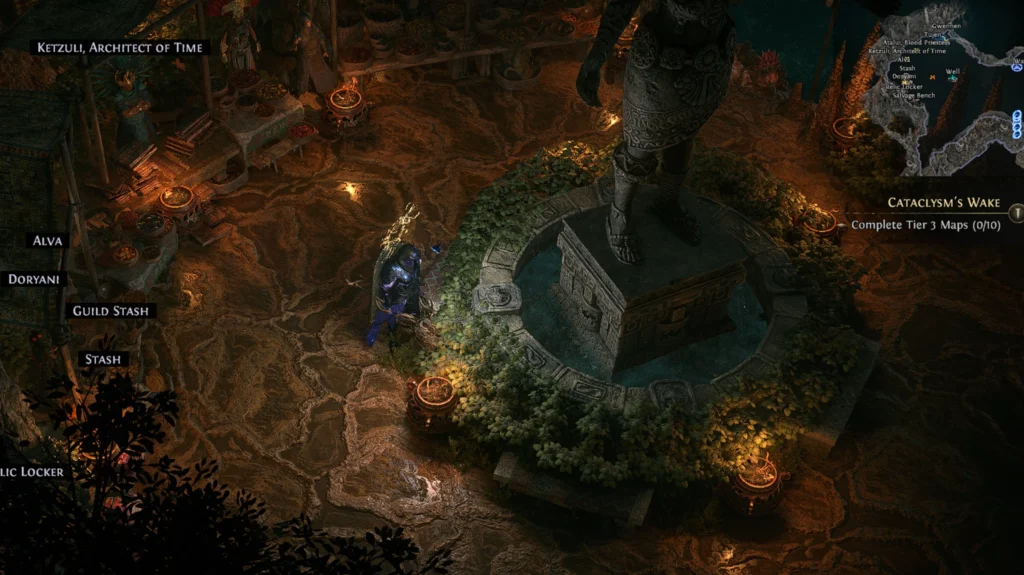
In Path of Exile 2, there are currently four available poe hideout styles, each offering a different environment and layout. These tilesets add variety to your base and allow for personal expression in how your hub looks and feels. The available Hideout designs include:
To unlock a new Hideout style, locate and complete the map node associated with it. Once cleared, the tileset becomes yours to use. To switch between Hideouts, speak with Alva in your current hideout and choose “Select Hideout” from her dialogue options. You can then select any previously unlocked style instantly.
Changing your poe hideout lets you add personality and comfort to your base. Each design provides a unique feel that can reflect your in-game identity or functional layout preference.
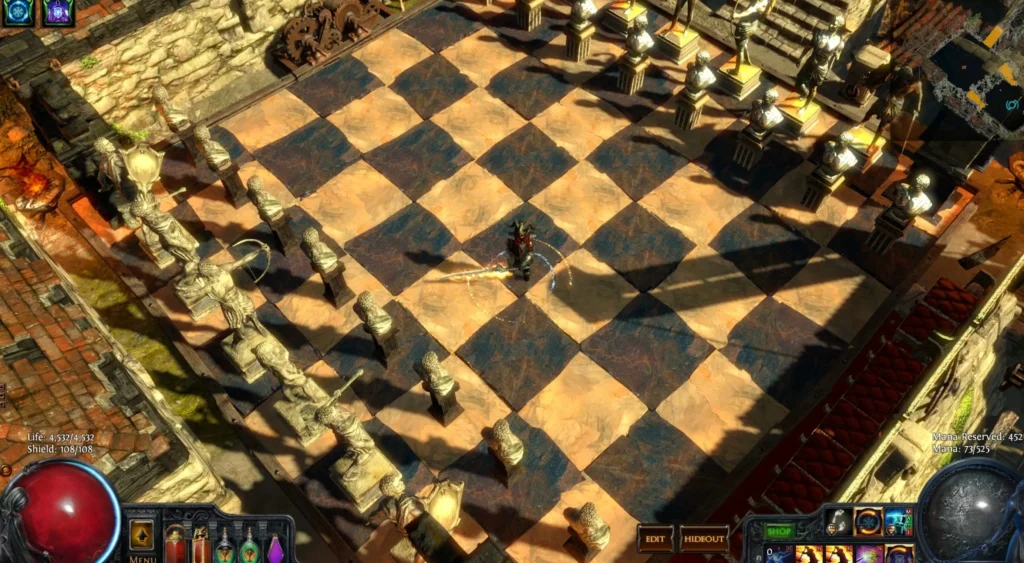
Customizing your poe hideout allows you to craft a personal space that’s both visually appealing and practical for high-efficiency gameplay. Start by entering your Hideout and clicking the small arrow icon near your skill bar. This opens the decoration interface, where you’ll find all the tools needed for editing your space.
In this menu, you can move, rotate, and flip any element, including NPCs. The Decorations tab contains crafting stations, decorative items, and NPC placement options. You can even import pre-made layouts from other players or export your own designs for sharing.
To make your poe hideout more efficient, consider placing key NPCs—like Doryani (item ID), Ketzuli (disenchanting), and Alva (currency trades)—close to core utilities like the Map Device, Waypoint, and Stash. This minimizes time spent running between tasks and maximizes mapping speed.
Customizing your poe hideout is not just for style—it’s an effective way to improve quality of life, especially during repetitive or intense gameplay sessions.

Buy PoE 2 Divine Orbs
Purchase PoE 2 Divine Orbs and upgrade your build!
Unlocking and personalizing your poe hideout in Path of Exile 2 is more than just a cosmetic feature—it’s a fundamental step toward mastering the endgame. By clearing specific map nodes, you gain a powerful, customizable space where crafting, trading, and strategic planning all come together in one location.
With multiple tilesets to choose from, a robust editing system, and the ability to streamline NPC placement, your poe hideout becomes a tool that enhances both immersion and functionality. Whether you aim for a cozy corner of Wraeclast or an efficient farming command center, the Hideout system lets you shape your own perfect space. Take the time to unlock and tailor your hideout—it’s one of the most rewarding parts of the PoE experience.